
hotaru

Flashcards for iPhone and iPad

Remember everything you study.

Hotaru turns your notes, photos and PDFs into flashcards with Apple Intelligence — on your device — and brings each card back right before you'd forget it.

  • Studying is free
  • Private by design
  • FSRS, the scheduler behind Anki
  • English · Português · Español
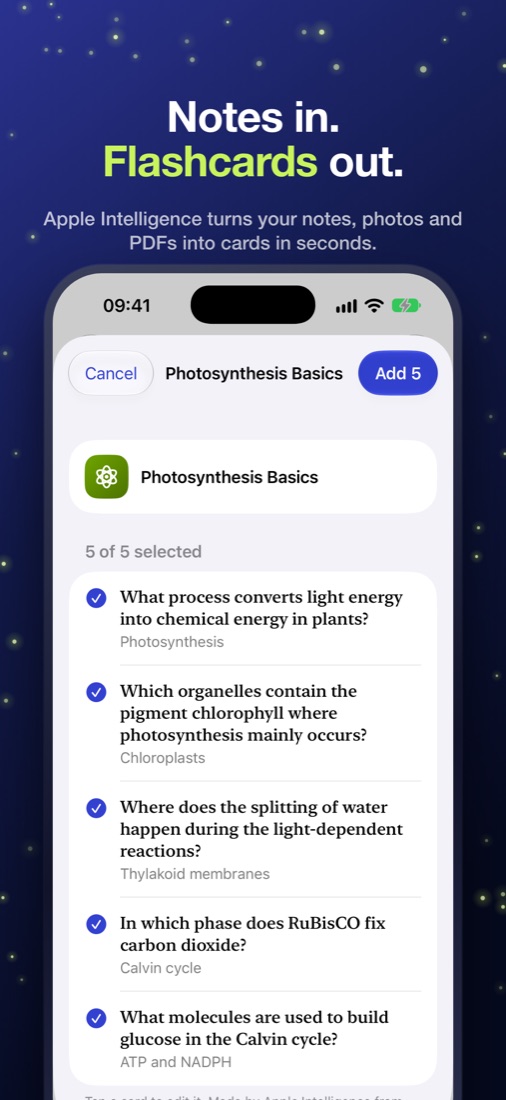
Hotaru turning notes about photosynthesis into five flashcards

How it works

From your material to lasting memory, in three steps.

Hotaru does the tedious parts — writing cards and deciding when to review them — so your minutes go to remembering.

  1. Step 1

    Give it your material

    Paste notes, scan a textbook page, pick photos of the whiteboard or open a PDF. Or start from one of 250+ ready-made decks.

  2. Step 2

    Keep the good cards

    Apple Intelligence writes question-and-answer cards from what you gave it. Edit any card, keep the ones you like.

  3. Step 3

    Study a few minutes a day

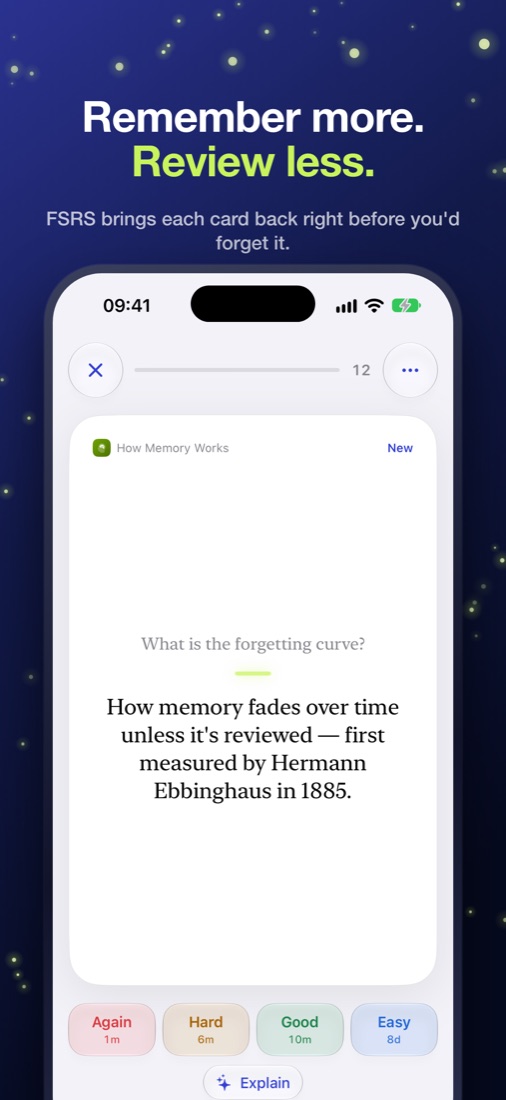
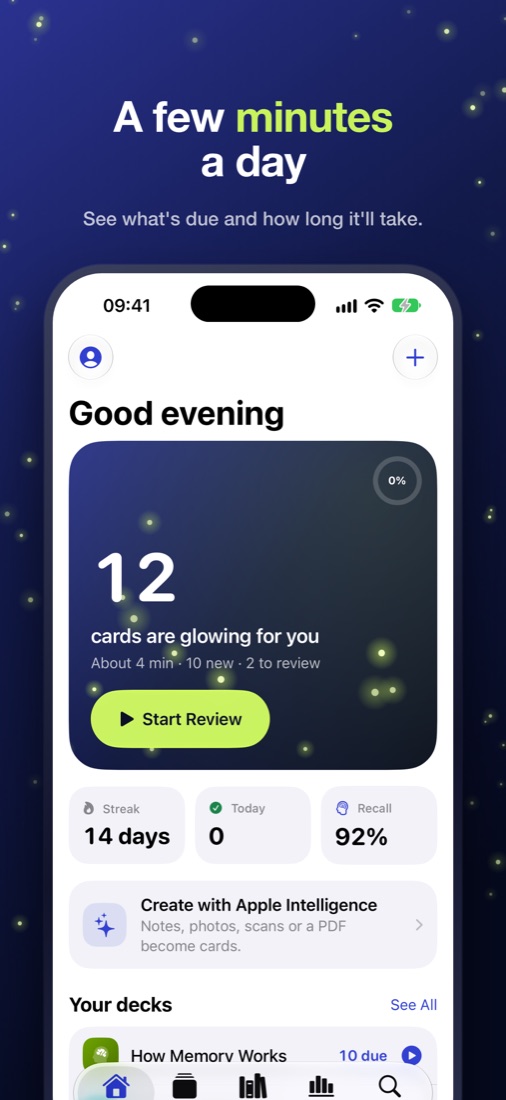
    Your cards glow when they're due. Rate each one and FSRS schedules the next review right before you'd forget.

  • Hotaru turning notes about photosynthesis into five flashcards

    Notes in. Flashcards out.

  • A Hotaru flashcard with Again, Hard, Good and Easy buttons

    Remember more. Review less.

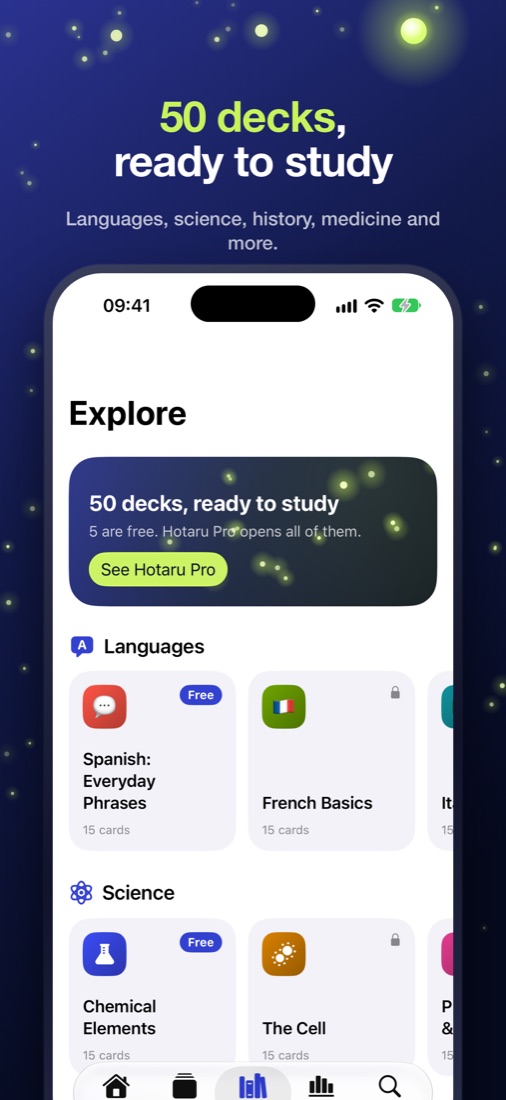
  • Hotaru's Explore tab with ready-made decks by subject

    250+ decks, ready to study.

  • Hotaru's Today screen showing 12 cards glowing for review

    A few minutes a day.

What's inside

Built on the science of memory, made for the iPhone in your pocket.

Apple Intelligence

Flashcards from anything

Cards come only from the material you give Hotaru — never invented facts.

  • Notes, scans, photos and PDFs — including handwriting and diagrams on iOS 27
  • Runs on your device: your material never leaves it
  • On devices without Apple Intelligence, optional cloud AI with your permission
  • Type your answer and Apple Intelligence checks it by meaning

Spaced repetition

Remember more, review less

FSRS-6 — the modern scheduler Anki uses — needs about a quarter fewer reviews than older methods for the same memory.

  • Rate cards Again, Hard, Good or Easy — or just swipe
  • Set your target recall; Hotaru plans the rest
  • Gentle reminders only on days something is due
  • Streaks that rest instead of shaming

Made for Apple devices

Feels at home on iPhone and iPad

Liquid Glass design, serif card faces, Dark Mode, Dynamic Type and VoiceOver.

  • Home and Lock Screen widgets and a Control Center button
  • Siri and Shortcuts: “Review flashcards in Hotaru”
  • Optional Sign in with Apple to sync and share decks by link
  • Import from Quizlet, Anki (text) and CSV; export any deck

Insights

Watch your memory grow

See your streak, how many reviews you did, how much you recall and what's coming up next.

  • 20-week activity heatmap
  • Recall against your target
  • Forecast of the next two weeks
  • Cards mastered, growing and new

Explore

250+ ready-made decks.

From Spanish A1 to C1 to calculus and anatomy. Start studying in one tap — every deck in English, Portuguese and Spanish.

  • Languages, A1 to C1
  • Science
  • Nature & Animals
  • Health & Medicine
  • Math
  • Technology
  • History
  • Geography
  • Arts & Culture
  • Money & Work
  • Mind & Society
  • Food & Drink
  • Sports & Games

Privacy

Your notes stay yours.

Cards are made by Apple Intelligence on your device. Without an account, everything — decks, cards and review history — stays on your iPhone.

No ads and no tracking. Anonymous usage counts help us improve the app, and you can turn them off in Settings.

Read the Privacy Policy →

Pricing

Studying is free. Pro is for doing more.

Free

Forever, with no ads.

  • Every review, every card — no study limits
  • 2 decks with unlimited cards
  • 1 Apple Intelligence creation a week
  • The Explore decks marked Free
  • Sync, sharing, widgets and Siri

Hotaru Pro

Try it free for 3 days, then $4.99 a month or $24.99 a year in the US. Prices in other countries are shown in the App Store.

  • Unlimited decks
  • Unlimited Apple Intelligence creations
  • Every Pro deck in Explore
  • Full Insights
  • Four more app icons

Billed by Apple. Renews automatically unless cancelled at least 24 hours before the end of the period; manage or cancel in Settings.

FAQ

Questions, answered.

Is Hotaru free?

Yes. Studying is free forever: every review, with no daily caps. The free plan includes 2 decks, 1 Apple Intelligence creation a week and the Explore decks marked Free. Hotaru Pro removes those limits, and you can try it free for 3 days.

Which devices support the AI features?

Creating cards with Apple Intelligence needs an iPhone or iPad that supports Apple Intelligence. On other devices you can allow Hotaru's cloud AI instead, or write and import cards yourself — everything else works the same.

Do my notes leave my iPhone?

Not with Apple Intelligence: cards are made on your device. Only if your device can't run Apple Intelligence and you allow cloud AI is your material sent, for that request only, and never stored or used for training.

Can I import from Anki or Quizlet?

Yes — paste or open plain-text exports from Anki or Quizlet, or any CSV. You can export any deck as CSV too.

Do I need an account?

No. An account (Sign in with Apple) is optional and only adds sync across your devices and shareable deck links.

How do I cancel Hotaru Pro?

In Settings › your name › Subscriptions on your iPhone, or from Hotaru's Settings › Manage Subscription. Your decks are never locked if you cancel.

Study by firefly light.

A few minutes a day, at exactly the right moment.